
Merge duplicate records
Tick duplicate records in a list view, choose the one to keep, and merge the others into it with Frappe's own rename-and-merge.
On this page
Bulk merge folds duplicate records into one, for example three Customers that are the same company entered three times. It uses Frappe's own rename with the merge option, the same thing as renaming a record to the name of another and ticking Merge with existing, done for several records at once.
Before you start
A System Manager must tick Allow Bulk Merge in Data Steward Settings. See Configuration.
You need the System Manager role, write permission on every record you merge and on the one you keep, and delete permission on the records you merge, because Frappe deletes them after moving their links.
The DocType must have Allow Rename set. Frappe renames, and so merges, no other DocType, so Merge Selected only appears in those list views.
A merge cannot be undone. Try it on a copy of the site first, and take a backup before merging records that other documents refer to.
Merge records
Open the list view of the DocType, for example Customer.
Tick two or more records: the duplicates and the one you want to keep.
Open the Actions menu and click Merge Selected.
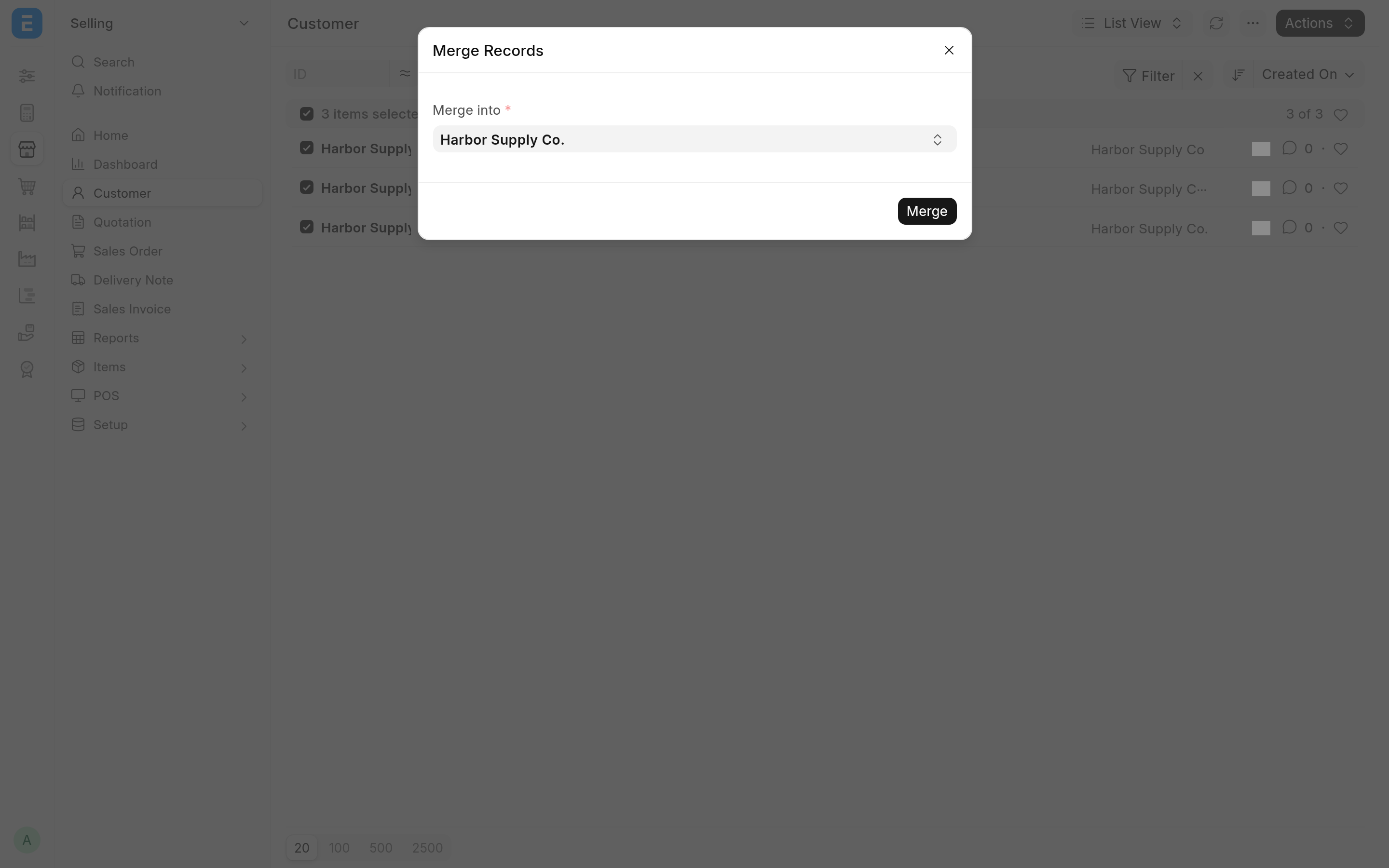
In the Merge Records dialog, choose the record to keep in Merge into. The list offers the names of the records you ticked.
Click Merge.
Each of the other ticked records is merged into the one you chose, one after the other. When it is done, the ticks are cleared, the list refreshes, and a Merge Log dialog shows one line per record: Successful: <OLD_NAME> to <NEW_NAME>, or ** Failed: <OLD_NAME> to <NEW_NAME>: followed by the error.
What a merge does
For each record merged, Frappe:
changes every Link and Dynamic Link field that pointed to it, in every DocType, to point to the record you kept;
moves its attachments and its version history to the record you kept;
adds a comment "merged
<OLD_NAME>into<NEW_NAME>" to the record you kept;deletes the merged record.
The record you keep keeps its own field values. The field values and child table rows of a merged record are not copied over; they go with it when it is deleted. Copy anything you need into the record you keep before merging. Records that link to the merged one, such as an Address or Contact linked to a Customer, are not lost: their links now point to the record you kept.
Each record is merged and committed on its own. If one fails, for example because you lack permission on it or the DocType's own rename rules refuse it, that one is rolled back and reported in the log, and the others are still merged.
Limits
Frappe's bulk rename takes at most 500 records per call, so you can merge at most 500 records into one in a single run. A larger run is refused with "Maximum 500 rows allowed" and nothing is merged.
A submitted document cannot be merged, because Frappe refuses to delete it.
Related
Merge duplicate files, for File records, which documents refer to by URL