
ERPNext CIS Plus
On this page
ERPNext CIS Plus
ERPNext CIS Plus is a Frappe app that makes customer, contact and address handling in ERPNext easier for small businesses, where one contact and one address per customer is the normal case. It looks up and validates addresses through the free OpenStreetMap Nominatim service, lets you create and edit a customer's primary address and primary contact right on the Customer form, and adds a map view of your customers. The same primary address and contact editing is available on the Supplier form.
"CIS" is the name of the app. The original title of this README was "Customer Information System Enhancements for ERPNext", which is where the abbreviation comes from.
What does it do?
Adds geolocation and address validation to the Address Doctype (utilizes the free OpenStreetMap Nominatim service): on save, the address is looked up, its coordinates are set, and its country, postal code, state, county and city are filled in where they are blank. If the service cannot be reached, times out, returns an error or is busy, the address is saved without coordinates and an alert says so; if it finds no match, the address is saved without coordinates. Any coordinates from before the change are cleared in both cases, and an address without coordinates is looked up again the next time it is saved. An address that has coordinates is looked up again only when it changes.
Sets the default address and contact automatically on the Customer Doctype
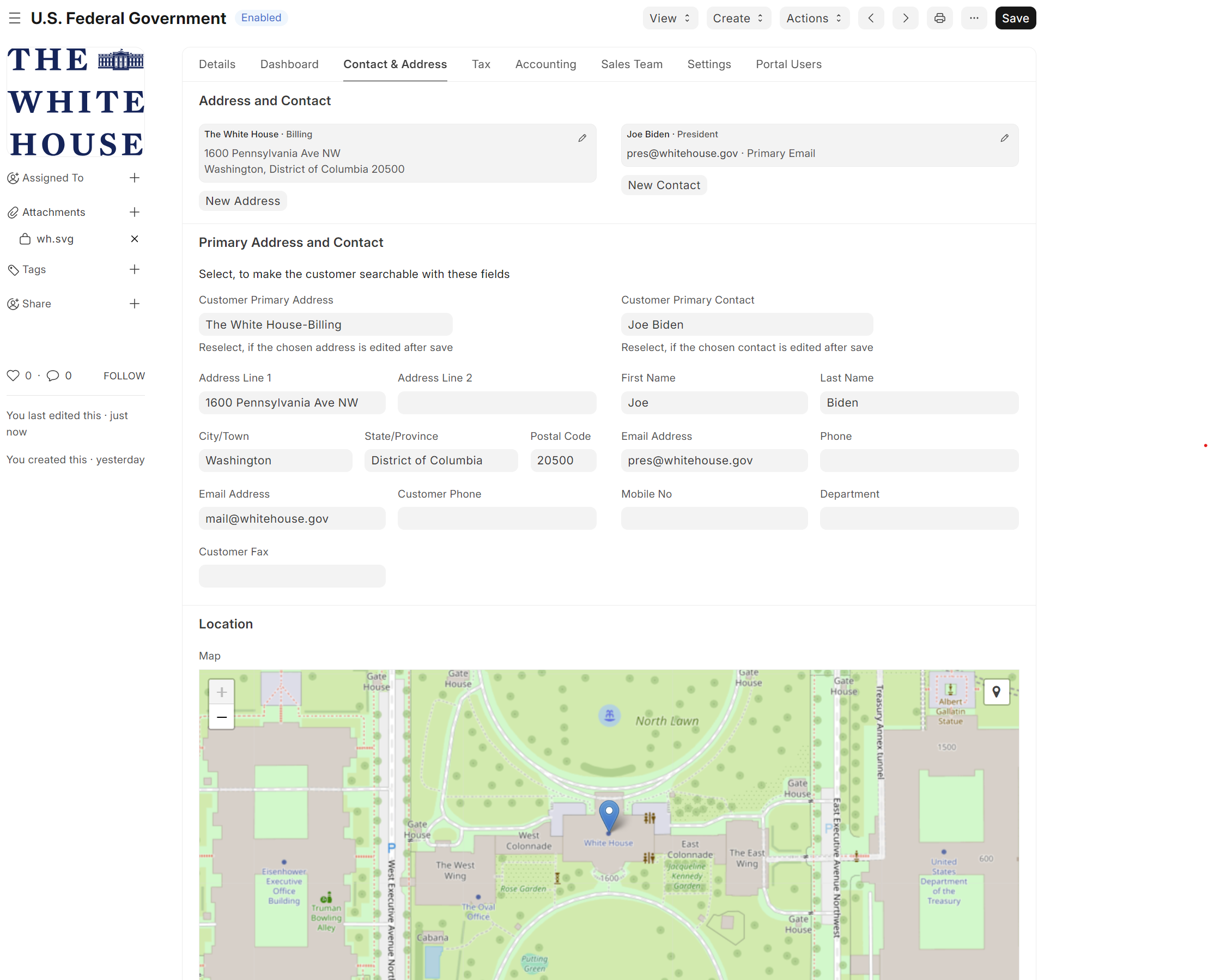
Enables default address and contact editing on the Customer Doctype (and the Supplier Doctype): you can fill in the primary address and contact fields directly on the form, and the Address and Contact records are created or updated for you
Normalizes phone numbers on the primary contact to E.164 format (using the
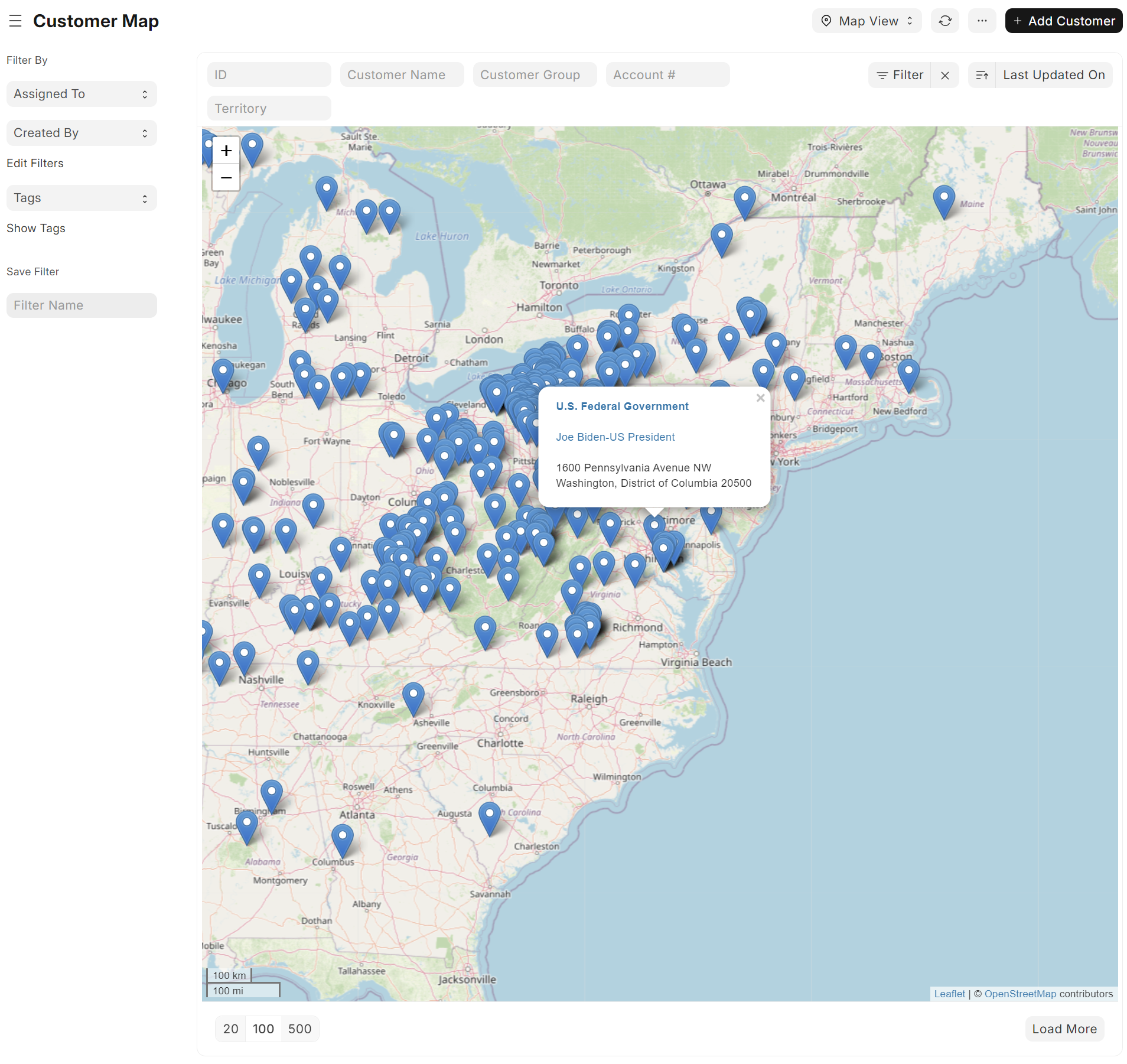
phonenumberspackage, with the country taken from the primary address) and warns when a number cannot be parsedProvides a map view with basic customer information for the Customer Doctype (uses Frappe's built-in geolocation and map view)
What does it look like?
Here's a screenshot of the Customer Doctype with the new primary address and contact editing functionality:
Here's a screenshot of the Customer Doctype with the new map view functionality:
How to install?
The app requires ERPNext. Install the app using the following commands
bench get-app https://github.com/Avunu/erpnext_cis_plus
bench --site [site-name] install-app erpnext_cis_plus
Good to know
Address validation sends the address text (street, city, state, postal code, country) to the public OpenStreetMap Nominatim service when an Address is saved with a new or changed address, or still has no coordinates. The app follows Nominatim's usage policy: it identifies itself in its User-Agent, sends at most one request per second from the bench (a lookup that gets no slot within five seconds is skipped, and saving again retries it), and gives up on a request after 10 seconds. That makes it a fit for small sites with modest address volumes.
Customers appear on the map view once their primary address has coordinates.
Show me the code!
Sure!
The custom fields and properties Doctype overrides are located in erpnext_cis_plus/erpnext_cis_plus/custom/.
The Doctype hooks are located in erpnext_cis_plus/erpnext_cis_plus/hooks/.
The Doctype js scripts are located in erpnext_cis_plus/public/js/.
Most of the above is forced into effect by the erpnext_cis_plus/hooks.py file.
License
MIT. See license.txt.